


 16
16 
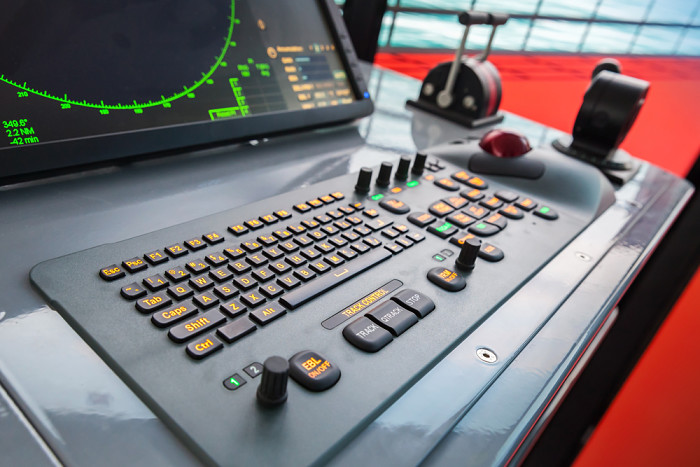 Honest Question: Do you like navigating on paperless ships ?
I am not usually a betting man, but I'd wager that you love sailing on paperless ships. It makes the navigation so much easier.
More than navigation, it makes the tedious process of correction of paper charts less cumbersome.
I am big fan of ECDIS and I believe that our Industry need to expediate in producing more advanced navigation data.
By more advanced data I mean, where all the correction to the ENCs would be possible with just one click. The navigators will then concentrate more on something that they are suppose to do: NAVIGATION.
But while we wait for the advanced data amagement for ECDIS, we must know the present ECDIS procedures.
Right now the process involves more than few clicks,instead it is a process.
I have earlier written about importing ENCs for JRC ECDIS. And I wanted to cover more makes of the ECDIS.
So in this post I will cover the process of ordering ENCs using Chartco and then installing it on Furuno ECDIS.
Let us start !!!
Step 1: Know what ENCs you require for your Voyage
The first step is to shortlist the ENCs that you would require for your next voyage.
Let us assume that right now the ship is at Jubail. The next voyage is to Singapore. And we need to check & order the ENCs for this voyage.
For...
Honest Question: Do you like navigating on paperless ships ?
I am not usually a betting man, but I'd wager that you love sailing on paperless ships. It makes the navigation so much easier.
More than navigation, it makes the tedious process of correction of paper charts less cumbersome.
I am big fan of ECDIS and I believe that our Industry need to expediate in producing more advanced navigation data.
By more advanced data I mean, where all the correction to the ENCs would be possible with just one click. The navigators will then concentrate more on something that they are suppose to do: NAVIGATION.
But while we wait for the advanced data amagement for ECDIS, we must know the present ECDIS procedures.
Right now the process involves more than few clicks,instead it is a process.
I have earlier written about importing ENCs for JRC ECDIS. And I wanted to cover more makes of the ECDIS.
So in this post I will cover the process of ordering ENCs using Chartco and then installing it on Furuno ECDIS.
Let us start !!!
Step 1: Know what ENCs you require for your Voyage
The first step is to shortlist the ENCs that you would require for your next voyage.
Let us assume that right now the ship is at Jubail. The next voyage is to Singapore. And we need to check & order the ENCs for this voyage.
For...
Join now to access this article and much more.
Admin has placed this article behind a paywall, making it accessible only with a paid membership, which offers numerous perks:
- Contribute to creating a platform for reading and writing without ads.
- Enjoy all content here, including exclusive articles for members.
- Gain access to all exclusive articles for members.

About Capt Rajeev Jassal
Capt. Rajeev Jassal has sailed for over 24 years mainly on crude oil, product and chemical tankers. He holds MBA in shipping & Logistics degree from London. He has done extensive research on quantitatively measuring Safety culture onboard and safety climate ashore which he believes is the most important element for safer shipping.






Comments (16)